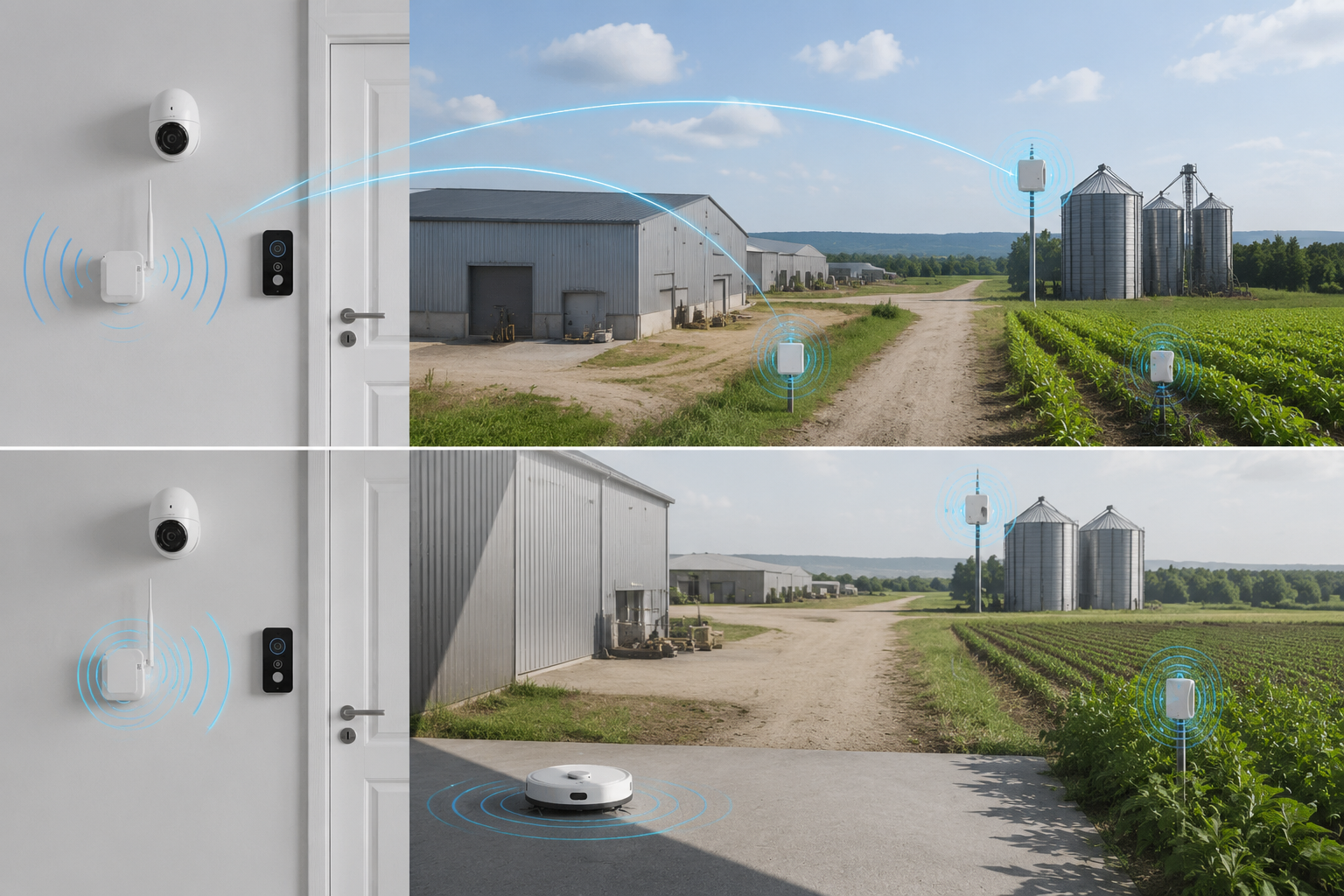
WiFi HaLow is generally the better fit for long-range, low-power IoT devices that must send data through walls or across large areas. Conventional 2.4 GHz and 5 GHz WiFi is usually better when you need higher throughput, broad client compatibility, or dense local access.
The right choice depends on more than advertised range. You should compare the radio band, antenna design, channel conditions, payload size, device sleep behavior, network topology, security implementation, and the interfaces required by your equipment. WiFi HaLow is not a universal replacement for conventional WiFi; it is a different tool for a different wireless design problem.
How the Radio Bands Change Link Behavior
WiFi HaLow is based on IEEE 802.11ah and operates below 1 GHz, commonly called the sub-GHz band. Conventional WiFi usually refers to 2.4 GHz and 5 GHz networks, with newer generations also using 6 GHz. In the United States, the exact channels, power limits, and operating conditions depend on the applicable regulatory rules and the equipment configuration.
The lower frequency used by WiFi HaLow changes how the signal behaves:
- Longer wavelength: A sub-GHz signal generally travels farther under comparable conditions.
- Better obstacle performance: Lower-frequency signals typically lose less energy when passing through common building materials and vegetation.
- Narrower channel options: HaLow is designed around efficient, long-range communication rather than the very wide channels used for high-speed conventional WiFi.
- Different antenna requirements: Antenna size, matching, enclosure design, and installation location can materially affect performance.
- Different client ecosystem: A conventional WiFi laptop or phone cannot automatically connect to a WiFi HaLow network without compatible HaLow hardware.
By comparison, 2.4 GHz WiFi offers a balance between coverage and compatibility, while 5 GHz WiFi usually provides more capacity and higher throughput over shorter distances. The practical result is that frequency is an important starting point, but it does not determine the final range by itself.
Transmit power, antenna gain, receiver sensitivity, channel width, interference, cable loss, mounting height, and required data rate all influence the actual link. A design that looks strong on a specification sheet may perform differently after installation.
Range and Obstacle Penetration
For long-range IoT, WiFi HaLow’s primary advantage is its ability to maintain useful connectivity over distances and through obstacles where conventional WiFi may require additional access points.
A lower-frequency signal can often provide more favorable propagation through:
- Interior walls and partitions
- Utility areas and equipment rooms
- Warehouses and industrial structures
- Outdoor vegetation
- Fences, enclosures, and other partial obstructions
This does not mean WiFi HaLow passes through every material without meaningful loss. Reinforced concrete, metal structures, underground spaces, coated glass, liquid-filled objects, and densely packed machinery can still attenuate or reflect radio signals. The antenna’s position may be just as important as the selected radio technology.
Conventional 2.4 GHz WiFi typically penetrates obstacles more effectively than 5 GHz WiFi, but it can face significant congestion from nearby access points, Bluetooth devices, appliances, and other systems. The 5 GHz band generally offers more available capacity and can support higher speeds, but its shorter propagation characteristics often make it less suitable for wide-area sensor coverage.
Why range claims need context
A range number is only meaningful when the test conditions are clear. Before comparing products, confirm:
- The regulatory region and permitted operating channels
- Transmit power and antenna gain
- Antenna type, connector, and installation position
- Line-of-sight or obstructed conditions
- Required throughput at the stated distance
- Packet loss, retransmissions, and latency requirements
- Whether the distance applies to one direction or a complete bidirectional link
- The enclosure, mounting height, and surrounding structures
A link may remain connected at a long distance while delivering less throughput or higher latency than it provides at close range. For video, control traffic, and time-sensitive data, “connected” is not the same as “suitable.”
For this reason, use coverage planning and a representative field test before finalizing a deployment. If the system must operate around obstacles, test with the actual enclosure, antenna arrangement, payload, and mounting conditions.
Throughput and Latency Tradeoffs
The main tradeoff in the WiFi HaLow vs WiFi comparison is usually coverage versus capacity.
Conventional WiFi is the stronger option for high-bandwidth applications such as:
- Video streaming at higher resolutions or frame rates
- Large file transfers
- Software updates across many devices
- Interactive user access
- High-speed machine vision
- Local workstation and laptop connectivity
WiFi HaLow is better aligned with applications that send smaller payloads over longer distances, including sensor readings, alarms, telemetry, status data, access events, and selected wireless video use cases where the required bitrate fits the link.
Actual throughput depends on channel width, modulation, coding, signal quality, traffic load, protocol overhead, interference, and the capabilities of both endpoints. A higher nominal physical-layer rate does not equal the same application-level data rate.
Latency also requires careful interpretation. A short conventional WiFi link may offer lower and more consistent latency than a long sub-GHz link. However, a poorly designed conventional WiFi network may introduce delays through congestion, repeated retransmissions, or too many intermediate connections. WiFi HaLow performance can likewise vary with distance, channel conditions, sleep schedules, and network load.
When evaluating a link, define the application requirement in measurable terms:
- Average and peak payload size
- Messages per second
- Required upload and download rate
- Acceptable delay
- Jitter tolerance
- Maximum packet-loss rate
- Whether traffic is continuous or event-driven
- Whether the link must support firmware or video transfers
A technology that easily meets the range requirement but cannot meet peak throughput is not a successful design. Conversely, using high-capacity conventional WiFi for small, infrequent messages may add unnecessary infrastructure and power overhead.
Device Density and Power Planning
WiFi HaLow is designed for large numbers of lower-bandwidth devices, making it attractive for wide-area sensor and industrial IoT deployments. Its suitability for a dense network depends on the access point, channel plan, traffic pattern, scheduling features, and device behavior—not simply the number of devices listed in a product description.
Conventional WiFi can also support many clients, but dense deployments require careful attention to airtime utilization. A large number of low-data-rate devices can consume substantial airtime, especially when they send frequent management traffic or maintain inefficient connections. Additional access points may improve coverage and capacity, but they also increase channel-planning, backhaul, power, and installation requirements.
Power planning should distinguish between the radio technology and the complete device design. WiFi HaLow can support lower-power IoT designs because its coverage may reduce the need for multiple powered network nodes, and its operating modes can be used with appropriate sleep and wake strategies. But battery life depends on:
- Transmit and receive duration
- Wake-up frequency
- Payload size and retry rate
- Association behavior
- Idle current
- Host processor consumption
- Sensor and peripheral power
- Antenna and RF losses
- Firmware power management
A continuously streaming device will have a very different power profile from a sensor that wakes periodically and sends a short message. Do not estimate battery life from the radio band alone. Request measured current figures for the exact operating modes and application traffic pattern being considered.
For large installations, also calculate infrastructure power. A longer-range link can reduce the number of access points, but each endpoint, gateway, camera, controller, or repeater still needs a practical power source.
Infrastructure and Interface Requirements
WiFi HaLow and conventional WiFi may both use familiar IP networking concepts, but the surrounding hardware and deployment architecture can be different.
A conventional WiFi network often connects directly to standard enterprise or consumer access points, routers, switches, laptops, phones, and operating-system network stacks. This makes it convenient when device compatibility and local user access are priorities.
A WiFi HaLow deployment may use a HaLow access point or gateway connected to an existing Ethernet or IP network. End devices may require HaLow modules integrated into cameras, sensors, controllers, or other equipment. The gateway may then bridge or route traffic between the sub-GHz wireless network and the rest of the system.
Before selecting a module or finished product, verify:
- Host interface, such as Ethernet, serial, USB, or another embedded interface
- Supported network mode and bridging or routing behavior
- Management and configuration method
- Operating system or driver requirements
- Firmware update process
- Antenna connector and matching requirements
- Supply voltage and peak current needs
- Enclosure and thermal constraints
- GPIO, control, or peripheral requirements
- Compatibility with the intended video or data protocol
Topology is another important difference. Conventional WiFi is commonly deployed as a local access-point network, with multiple APs connected through wired or wireless backhaul. WiFi HaLow can be useful in a centralized star-like arrangement for distributed endpoints, but the best topology depends on coverage geometry, traffic direction, gateway placement, and whether additional network nodes are needed.
Do not assume that a HaLow module will behave like a drop-in replacement for a 2.4 GHz or 5 GHz module. The RF band, antenna system, firmware, regulatory configuration, and host integration all need to be checked together.
WKWIFI develops WiFi HaLow wireless video and data transmission products and supports engineering work involving PCB layout, embedded firmware, RF tuning, antenna systems, and hardware or firmware customization. For an OEM or ODM evaluation, the relevant questions are the verified operating band, interface, antenna configuration, supported network architecture, and measured performance under the intended conditions. The company’s WiFi HaLow transmission module for long-range applications may be a relevant starting point for that review, subject to confirming the specifications for your deployment.
Security and Regulatory Checks
Security should be evaluated at the network, device, application, and management layers. A sub-GHz frequency does not make a network secure or insecure by itself.
Confirm the specific implementation of:
- WiFi authentication and encryption
- Key management and credential provisioning
- Secure management access
- Firmware authenticity and update controls
- Device identity and authorization
- Network segmentation
- Application-layer encryption where appropriate
- Logging and event handling
- Factory-default credential behavior
The security features supported by a module or access point can depend on its firmware, operating mode, and integration environment. Ask for the exact supported security modes rather than assuming that a feature available in one WiFi product family is available in another.
Regulatory review is equally important. In the United States, verify that the selected equipment is configured for the intended operating band and complies with applicable radio requirements. Check the permitted channel widths, power conditions, antenna restrictions, host-device integration rules, and labeling or installation obligations that apply to the final product.
This is especially important for OEM and ODM products. A radio module’s approval status, if applicable, may not automatically cover every antenna, enclosure, host configuration, or final product arrangement. Have the responsible compliance team confirm the requirements for the complete system.
When Conventional WiFi Is Still Better
Conventional WiFi remains the better choice in many situations. Choose 2.4 GHz or 5 GHz WiFi when one or more of these conditions apply:
- The application needs high throughput.
- Users must connect with standard phones, tablets, laptops, or computers.
- The site already has suitable WiFi infrastructure.
- Coverage is limited to rooms, floors, or a relatively compact facility.
- The application depends on mature enterprise WiFi management tools.
- The equipment must support high-volume local traffic.
- A wired network can provide convenient backhaul between access points.
- The device has a reliable mains power source.
- The required range can be achieved with practical access-point placement.
You may also use both technologies in the same overall system. For example, conventional WiFi can serve local users and high-bandwidth devices, while WiFi HaLow connects distributed sensors or remote equipment. A gateway, edge computer, or segmented IP network can join the two environments without requiring every endpoint to use the same radio.
A dual-band product can be relevant when a design needs more than one wireless operating option, but “dual-band” can mean different things across product categories. Confirm whether the product supports simultaneous operation, which bands are included, how traffic is separated, and whether the antenna and firmware architecture match the intended use. WKWIFI’s WiFi HaLow dual-band module can be reviewed as part of that comparison, with final compatibility and performance confirmed against the project requirements.
A Practical Technology Selection Checklist
Use the following process to compare WiFi HaLow and conventional WiFi without relying on a single range or speed claim.
1. Define the traffic
Document the payload, direction, data rate, burst behavior, latency, and packet-loss tolerance. Separate ordinary traffic from peak events such as alarms, image uploads, or firmware updates.
2. Map the physical environment
Record distances, wall types, metal structures, vegetation, elevation changes, equipment locations, and likely interference sources. Identify where antennas and gateways can realistically be installed.
3. Choose coverage priorities
If the priority is broad coverage through obstacles with modest data rates, evaluate WiFi HaLow first. If the priority is high-speed local access, begin with conventional WiFi. If both requirements exist, consider a hybrid design.
4. Plan the topology
Decide whether the system needs one central gateway, several access points, wired backhaul, roaming, network segmentation, or separate networks for users and machines. Confirm how the selected equipment handles addressing, bridging, routing, and management.
5. Calculate power and maintenance
Estimate endpoint consumption from actual traffic and sleep behavior. Include gateway power, battery replacement or charging, access-point placement, firmware updates, and physical access for maintenance.
6. Verify integration interfaces
Check the host processor, operating system, physical interface, connector, antenna, enclosure, supply rail, firmware tools, and data protocol. A radio that meets the coverage target can still be unsuitable if it cannot integrate with the host system.
7. Review security and compliance
Confirm authentication, encryption, provisioning, update controls, regulatory configuration, antenna requirements, and final-product compliance responsibilities.
8. Test with representative hardware
Conduct a site test using the intended antenna, enclosure, payload, mounting position, and network configuration. Measure application-level throughput, latency, packet loss, reconnection behavior, and power consumption—not just signal strength.
9. Confirm lifecycle requirements
For a commercial product, establish how firmware is maintained, how configuration is managed, and whether hardware, antenna, interface, and branding changes can be supported. WKWIFI was established in 2013 and operates standardized workshops for SMT, PCBA, testing, and final assembly; its company overview provides additional background for teams evaluating an OEM or ODM development path.
Final Decision: WiFi HaLow or Conventional WiFi?
Choose WiFi HaLow when long reach, obstacle penetration, distributed endpoints, and lower-bandwidth IoT traffic matter more than maximum speed and universal client compatibility. Choose conventional WiFi when you need high throughput, standard consumer-device support, dense local access, or an existing WiFi infrastructure.
The most reliable decision comes from matching the radio to the application rather than comparing headline range figures. Start with traffic and coverage requirements, then verify antennas, interfaces, power, topology, security, regulatory conditions, and real installation performance. For a product evaluation, review the relevant WKWIFI module and compare its verified range, interface, antenna, and deployment requirements with your system design.